Key takeaways
- Lowest-cost experiment: A used RTX 3060 12GB can be a practical entry point if the card is inexpensive and its memory suits your chosen workload. Its relatively modest power draw is easier to manage than that of flagship cards.
- Balanced used build: An RTX 3070 offers a useful mix of performance, power, and availability. Check that the particular model has adequate cooling and that its asking price leaves room for operating costs.
- More memory for supported workloads: The RX 6800 XT has 16GB of memory, which can be useful for algorithms or other GPU workloads that benefit from capacity. Its power draw and heat still need to be justified by the actual hashrate.
- Already own a powerful card: Mining can be a way to experiment with hardware you have, but buying a new high-end gaming GPU solely to mine is difficult to justify when revenue and resale value are uncertain.
The best GPUs to mine crypto depend on the coin, electricity price, and used-card cost—not peak hash rate alone.
For a small mining setup in 2026, a used Nvidia GeForce RTX 3070 is a sensible efficiency-focused starting point for algorithms it supports, while an AMD Radeon RX 6800 XT can make more sense when its larger memory capacity helps with a specific workload. Neither is a dependable profit pick without checking current network difficulty, coin price, and your electricity rate. Mining revenue changes constantly, so treat estimates as a snapshot, not a promise.
Shortlist by situation
- Lowest-cost experiment: A used RTX 3060 12GB can be a practical entry point if the card is inexpensive and its memory suits your chosen workload. Its relatively modest power draw is easier to manage than that of flagship cards.
- Balanced used build: An RTX 3070 offers a useful mix of performance, power, and availability. Check that the particular model has adequate cooling and that its asking price leaves room for operating costs.
- More memory for supported workloads: The RX 6800 XT has 16GB of memory, which can be useful for algorithms or other GPU workloads that benefit from capacity. Its power draw and heat still need to be justified by the actual hashrate.
- Already own a powerful card: Mining can be a way to experiment with hardware you have, but buying a new high-end gaming GPU solely to mine is difficult to justify when revenue and resale value are uncertain.
GPU comparison: practical ranges, not guarantees
Hash rates vary substantially by algorithm, miner software, driver, card model, and tuning. The figures below are indicative planning ranges for select GPU-friendly workloads, not universal benchmark results. They should not be compared across different algorithms as if they represented equal earning power.
Our top picks
 HumblePleb 2 Pack Bitcoin Waterproof Playing Cards
- Premium PET Waterproof Material
- Durable & Scratch Resistant
- Standard Poker Size
 Bitcoin Crypto Wallet
- Simple, Secure Bitcoin Storage for Anyone: Create a…
- Easy to Load with Bitcoin in Seconds: Each…
- Keeps Your Bitcoin Offline and Protected: Funds are…
 Premium Crypto-Themed Card Protector Packs
- **Crypto-Themed Protection in Style**: Each pack comes with…
- 「Durable & Protective」: Made with premium metallic finish…
- 「Easy to Apply & Remove」: Pre-cut to standard…
| Product | Key specs | |
|---|---|---|
| HumblePleb 2 Pack Bitcoin Waterproof Playing Cards | Premium PET Waterproof Material Durable & Scratch Resistant Standard Poker Size | Check price |
| Bitcoin Crypto Wallet | Simple, Secure Bitcoin Storage for Anyone: Create a… Easy to Load with Bitcoin in Seconds: Each… Keeps Your Bitcoin Offline and Protected: Funds are… | Check price |
| Premium Crypto-Themed Card Protector Packs | **Crypto-Themed Protection in Style**: Each pack comes with… 「Durable & Protective」: Made with premium metallic finish… 「Easy to Apply & Remove」: Pre-cut to standard… | Check price |
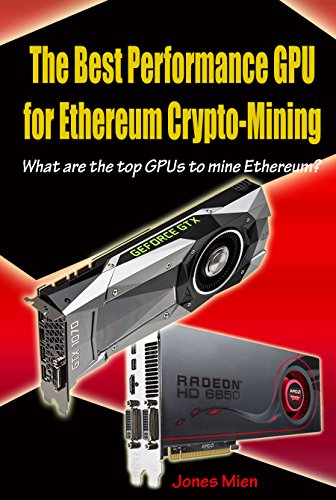 The Best Performance GPU for Ethereum Crypto-Mining: | Check price |
As an Amazon Associate we earn from qualifying purchases at no extra cost to you.
| GPU | Memory | Typical board power | Indicative hashrate range* | Used-market planning range | Best fit |
|---|---|---|---|---|---|
| Nvidia GeForce RTX 3060 12GB | 12GB GDDR6 | About 170W | Roughly 25–50 MH/s | About $180–$300 | Lower-cost trials and memory-sensitive workloads |
| Nvidia GeForce RTX 3070 | 8GB GDDR6 | About 220W | Roughly 45–100 MH/s | About $250–$400 | Balanced used-card builds |
| AMD Radeon RX 6800 XT | 16GB GDDR6 | About 300W | Roughly 50–120 MH/s | About $300–$500 | Workloads that benefit from more memory |
*Broad, algorithm-dependent estimates only. Confirm current benchmarks for the exact coin, software, and card before buying. Used prices are rough U.S. market ranges and vary by region, condition, and date.
How to tell whether a card can break even
Calculate power cost from the wall, not just the GPU’s advertised board power. A desktop also uses electricity, and power supplies lose some energy during conversion. For a rough single-card estimate, assume the GPU runs continuously at its measured power and add 15% for the rest of the system and conversion losses.
Example: Suppose an RTX 3070 draws 220W while mining. With the 15% allowance, estimated wall draw is about 253W. Over 30 days, that is 0.253 kW × 24 hours × 30 days = about 182 kWh. At $0.15 per kWh, electricity costs roughly $27 per month, before pool fees, downtime, cooling, and any taxes.
If mining revenue before electricity is $35 per month, the estimated operating margin is only about $8. A $300 card would then take about 38 months to recover its purchase price—assuming revenue never falls and the card never needs repair. That is not a realistic guarantee. Difficulty rises, coin prices move, and mining opportunities can change or disappear. Use a live profitability calculator with your measured wall power and electricity tariff; then stress-test the estimate with lower revenue and higher power costs.
What matters beyond the headline hashrate
Efficiency and power limits
Compare hashrate per watt for the same algorithm and software version. A card that produces a little less work at much lower power can leave more after electricity. Undervolting or lowering power limits may improve efficiency, but settings that are too aggressive can cause errors, crashes, or reduced output. Verify stability over several hours and track accepted shares rather than relying on a brief benchmark.
Memory and workload fit
Memory capacity is a compatibility requirement, not a direct measure of profitability. Some mining algorithms have memory-intensive datasets, while others emphasize different hardware resources. Check the current algorithm requirements and software support before selecting an 8GB or 12GB card. Extra memory is useful only if the workload can use it.
Heat, noise, and space
A 250W card releases roughly 250W of heat into the room when running continuously. Multiple cards can quickly overwhelm a bedroom or small office, raising temperatures and fan noise. Leave clear intake and exhaust paths, avoid enclosed cases without adequate airflow, and include the cost of moving hot air in your decision. In a warm climate, cooling can erase an already-thin margin.
Buying used: inspect the whole card, not the benchmark screenshot
- Check condition: Ask for the exact model and a recent stability test. Look for damaged connectors, corrosion, missing screws, and signs of heavy dust or overheating.
- Listen and monitor: Fan bearings can wear or rattle. During a sustained load, watch temperatures, clock stability, fan behavior, and software-reported errors.
- Budget for maintenance: Dust cleaning is routine; worn fans or dried thermal interface materials may require repair. A card that needs immediate work is not a bargain unless the discount covers parts and labor.
- Keep a repair reserve: Mining operates hardware for long periods. Fans are a common wear item, and repeated heat cycling can stress components. Do not base a purchase on the assumption that a used card will run unattended for years.
Make the purchase decision in this order
- Choose the coin or algorithm first, then confirm the GPU and memory are supported.
- Find recent, algorithm-specific hashrate and power figures for the exact card model.
- Measure or estimate wall power and calculate electricity cost at your actual rate.
- Compare conservative net revenue with the used price, likely maintenance, and resale value.
- Skip the purchase if the break-even period depends on today’s unusually favorable coin price or ignores cooling and downtime.
For most buyers, the best graphics cards gpus to mine crypto are used, sensibly priced models chosen for a specific workload—not the fastest cards available. If the numbers only work under optimistic assumptions, keeping the money or buying a GPU for gaming or compute work you already need is the lower-risk choice.